
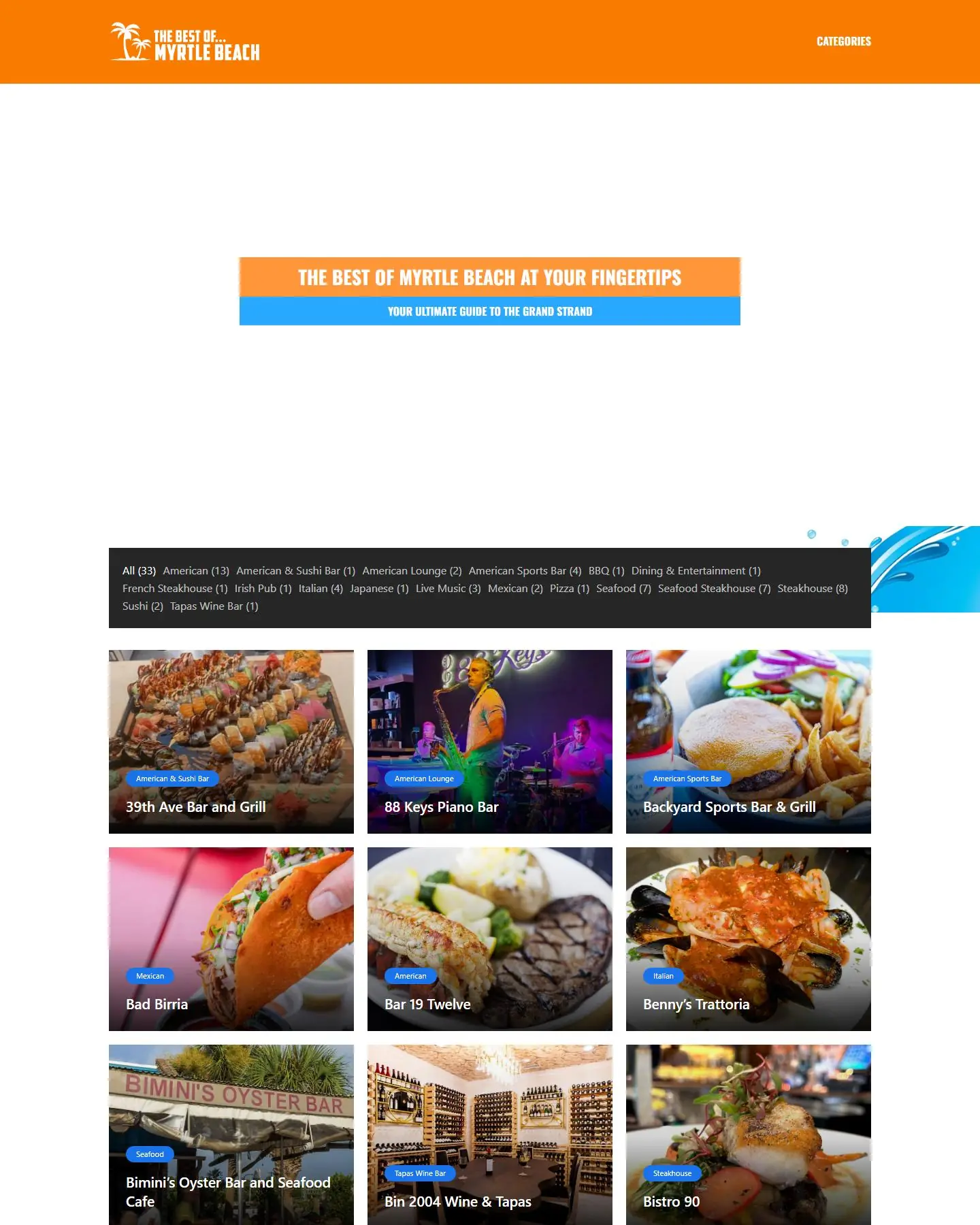
Case study · Local dining and entertainment guide
The Best of Myrtle Beach
The Best of Myrtle Beach is a local guide to Grand Strand restaurants, bars and live music venues. It needed to help visitors and locals pick a place fast, and to give every venue a page that does more than list a name and a phone number. Axiom designed and built the guide from scratch and hosts it.
The hero, live
Motion that sells it
The video hero we built for The Best of Myrtle Beach, on desktop and mobile. Mobile gets its own vertical cut.
Built from scratch
A new site, start to finish
There was no previous site to replace. Axiom designed and built this one from the ground up.
Problem → solution
A Grand Strand dining guide that gets people to the door
The problem · 01
A plain list doesn't feel like Myrtle Beach
Visitors land on a guide already in vacation mode. A text-heavy homepage gives them no sense of the place, and many leave before they scroll.
The solution
A video hero that sets the mood
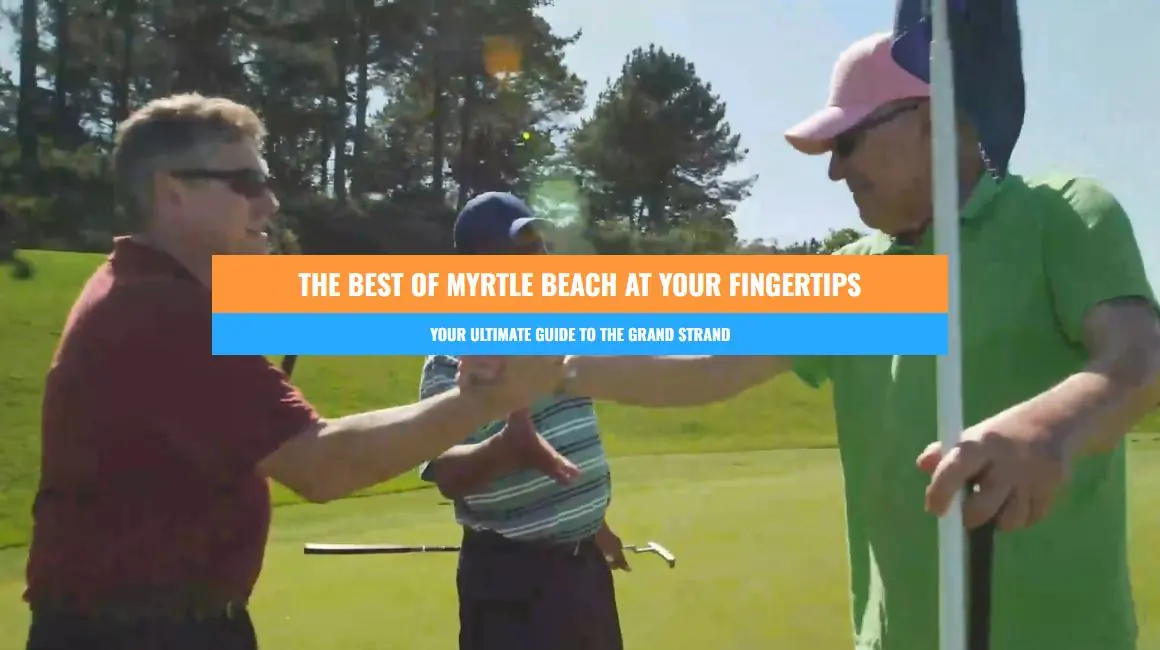
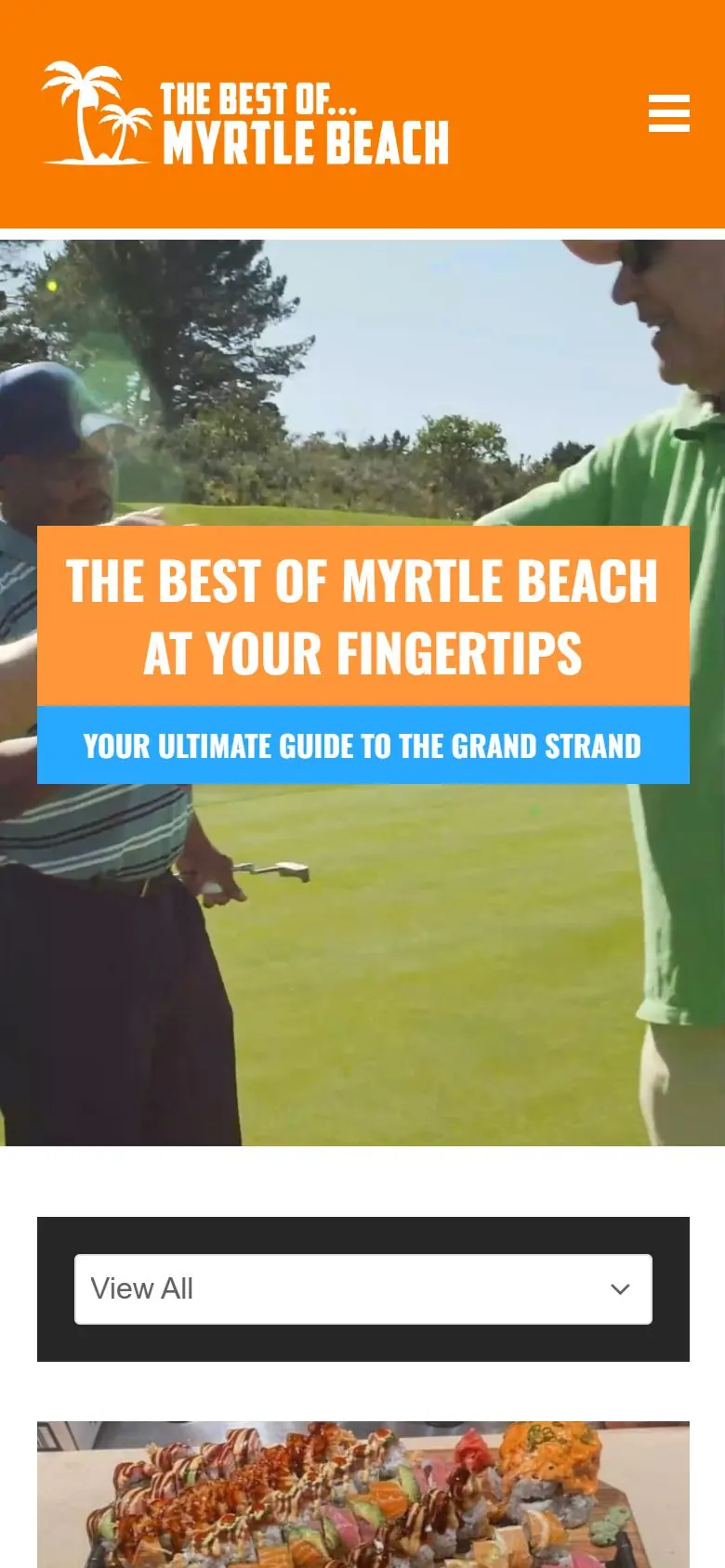
Axiom opened the homepage with a full-width background video and a bold orange-and-blue banner: "The Best of Myrtle Beach at Your Fingertips." It says what the site is in one line and gets people scrolling into the listings.
The problem · 02
Too many choices, no way to narrow
Someone craving sushi or a steakhouse doesn't want to scroll past every restaurant in town. When a guide can't be filtered, people go back to a search engine and pick whatever shows up first.
The solution
One-click category filter over photo cards
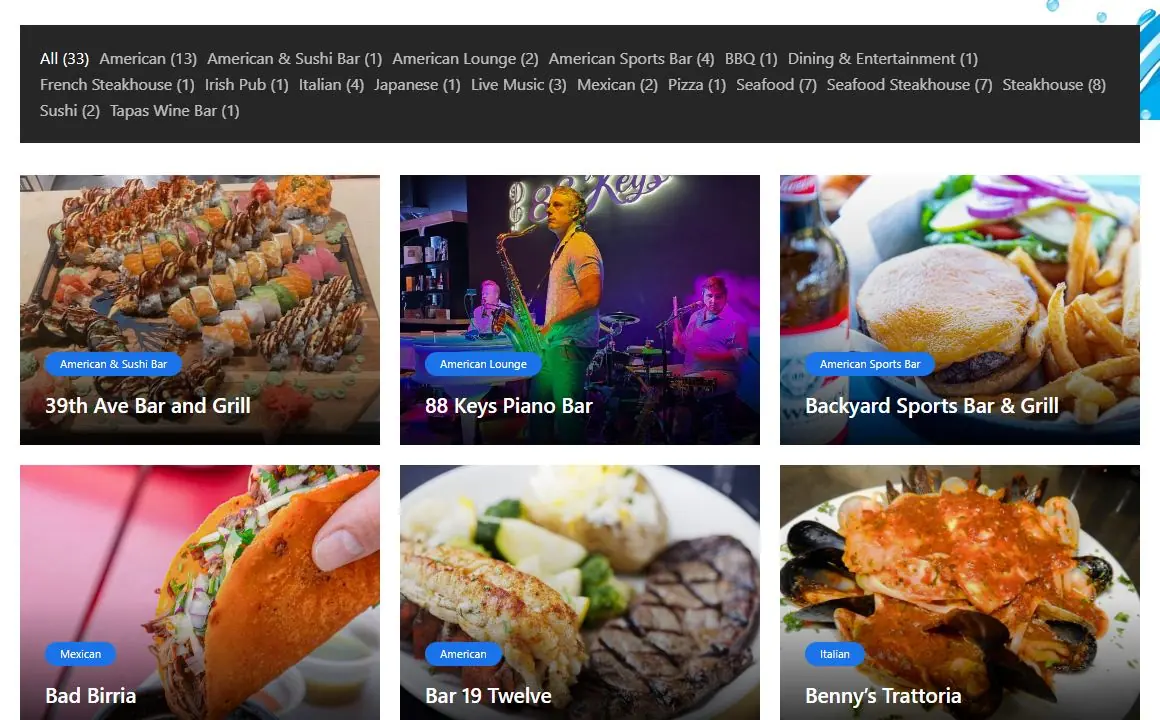
Axiom built a category bar over the venue grid with a live count for each type, from American and BBQ to Seafood, Steakhouse, Sushi and Live Music. Clicking a category filters the grid on the spot, and every venue card leads with a big food or venue photo and a category tag.
The problem · 03
Listings that don't sell the experience
A one-line directory listing can't show what a night at a piano bar or a waterfront restaurant feels like, and that feeling is what actually gets people to choose a venue.
The solution
Venue pages with photos and video
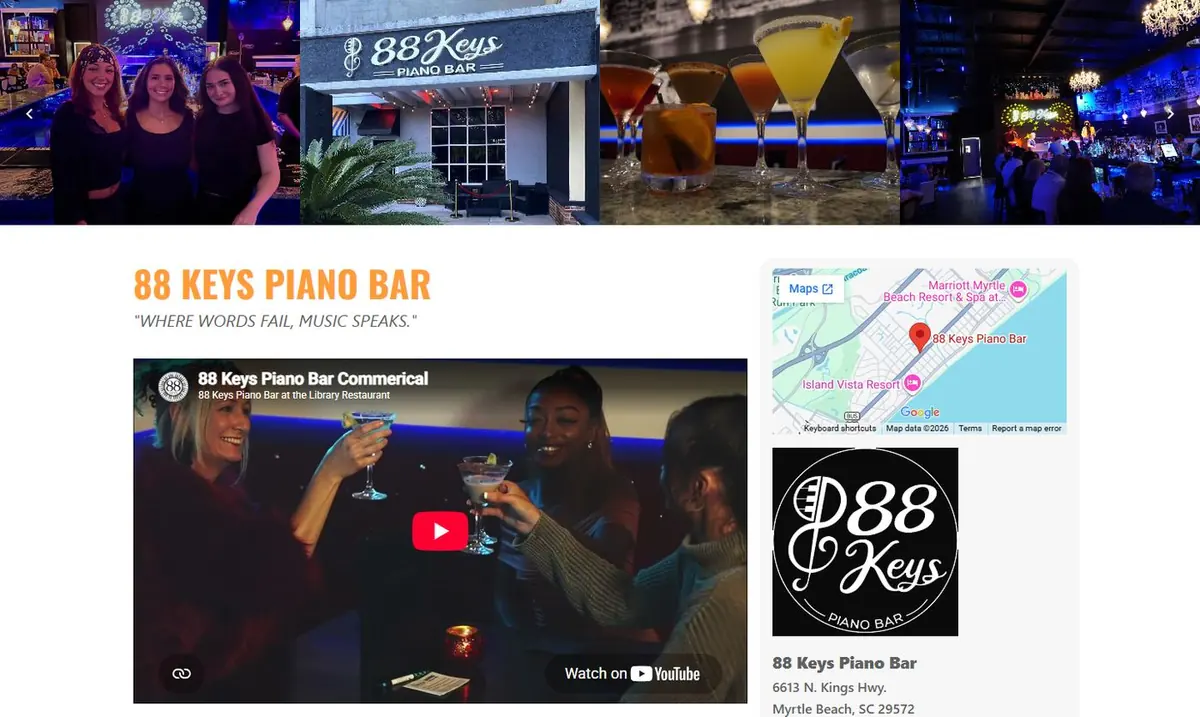
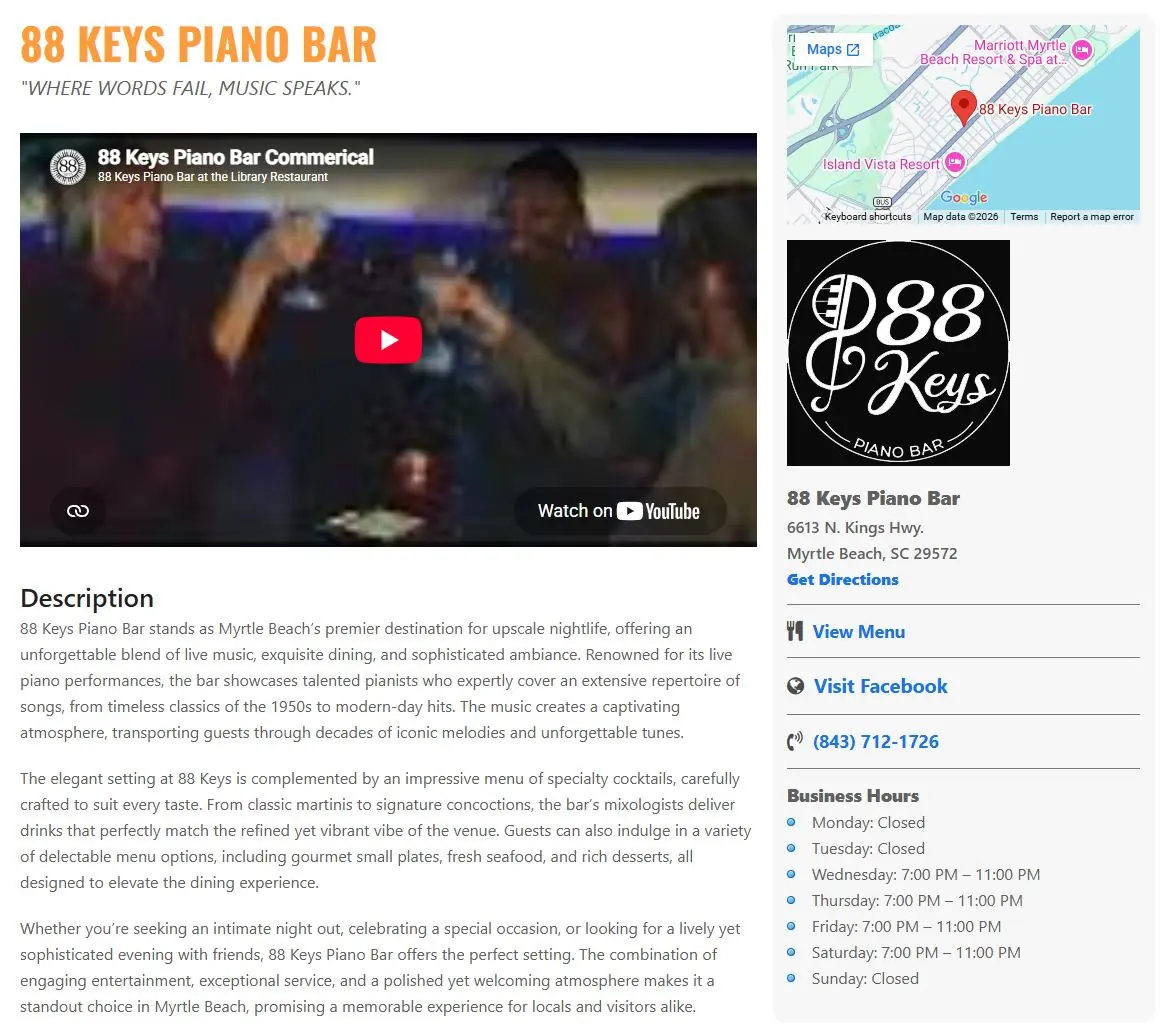
Each venue gets its own page with a swipeable photo carousel across the top, the venue's tagline and an embedded promo video. The guide does the selling the way the venue would do it themselves.
The problem · 04
Visitors need the practical details now
Once people decide, they need an address, hours and a phone number right away. If they have to dig through another site for them, some won't make it to the door.
The solution
Map, menu, phone and hours in one card
A sidebar on every venue page holds an embedded Google Map, the address with a Get Directions link, a View Menu link, the venue's Facebook, a tap-to-call phone number and business hours by day. The description and specials sit right beside it.
The problem · 05
Search engines need pages to point to
People search for things like "seafood in Myrtle Beach," not for the name of a guide. Without pages built around those topics, a directory is hard to find.
The solution
Category pages for every type of food
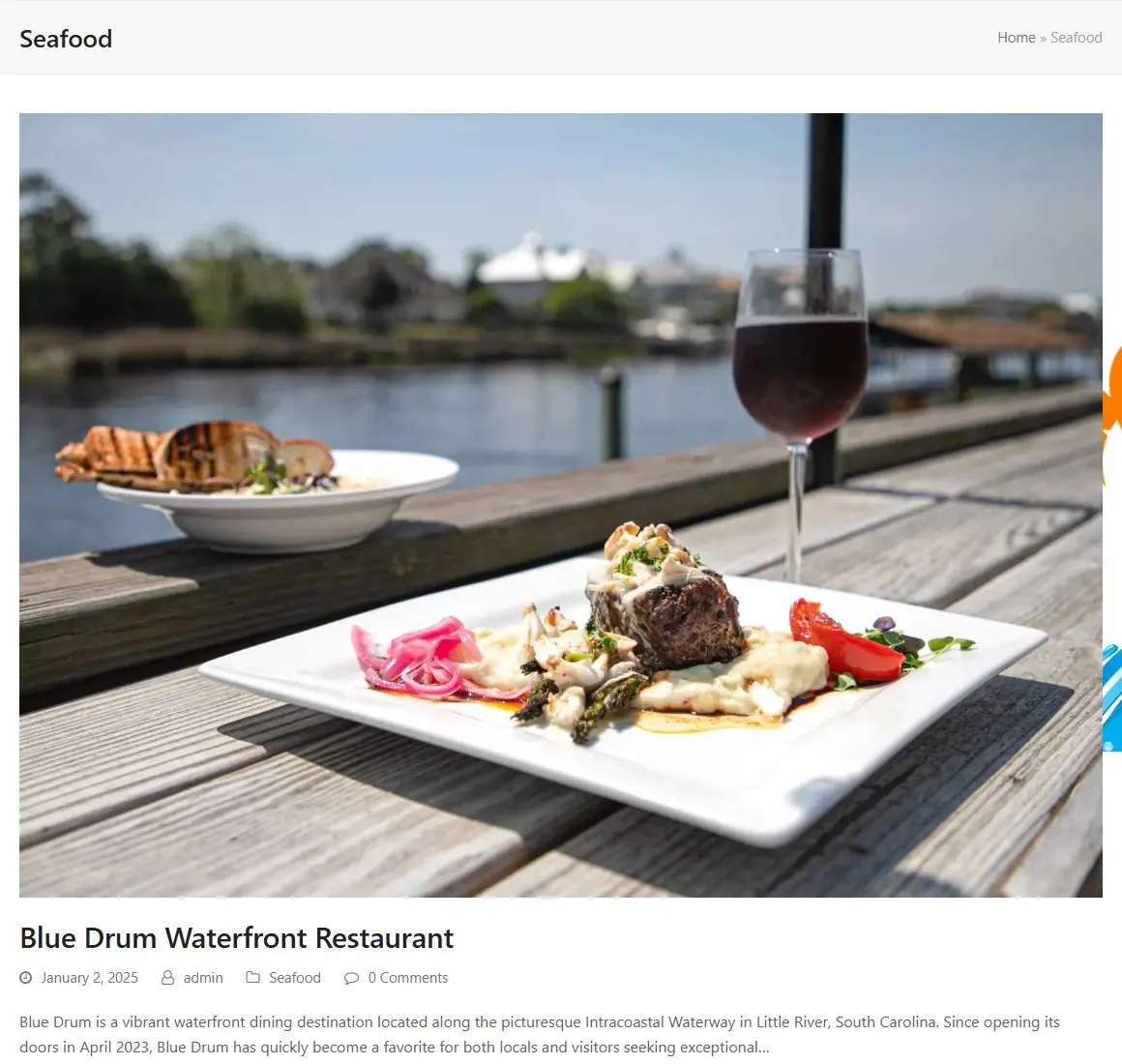
Every category, such as Seafood, Steakhouse or Live Music, has its own archive page with breadcrumbs, large photos and a short write-up on each venue. Each one gives search engines a focused landing page and gives visitors another way in.
The problem · 06
Most guide traffic is on a phone
Visitors often look up dinner from a hotel room or the beach. A desktop filter bar with two dozen options doesn't fit on a phone screen.
The solution
A mobile layout with a dropdown filter
On phones the header collapses to a menu button, the hero banner stacks to fit the screen, and the category bar becomes a single "View All" dropdown above full-width venue cards.
Your business
Same problem? Same fix.
If you run a local guide, a tourism or visitors bureau, a chamber of commerce or any business directory, Axiom can build you the same thing: a filterable listings grid, rich listing pages with maps and video, and category pages that help you show up in search. We design it, build it and host it here on the Grand Strand.
Under the hood
Your turn
Want results like The Best of Myrtle Beach?
Free consultation and a fixed quote before any work starts.