
Case study · Event
Myrtle Beach Club Card
The Myrtle Beach Club Card is a Senior Week pass that gets recent graduates into themed parties, discounted concerts and local deals during four weekly sessions. Its buyers are teenagers, but parents often pay. Axiom built a site with its own online store that walks both through choosing a week, buying and getting ready.
The hero, live
Motion that sells it
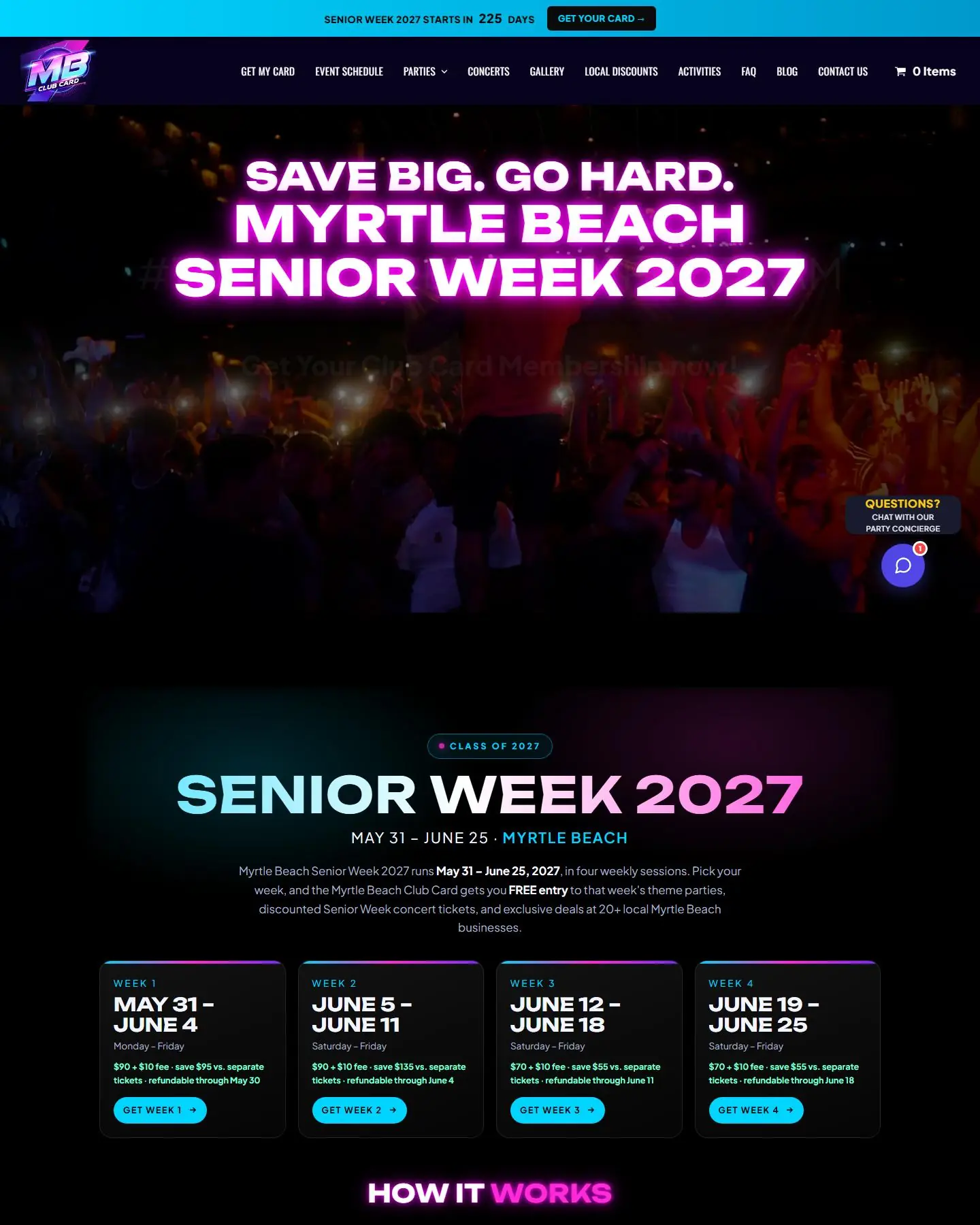
The video hero we built for Myrtle Beach Club Card, on desktop and mobile. Mobile gets its own vertical cut.
Built from scratch
A new site, start to finish
There was no previous site to replace. Axiom designed and built this one from the ground up.
Problem → solution
A senior week party pass that sells itself, week by week
The problem · 01
Buyers need to pick the right week
When a pass is only good for one week, buyers who pick the wrong one create refunds and headaches. They need to see the dates, prices and process up front.
The solution
Week picker plus 'How it works'
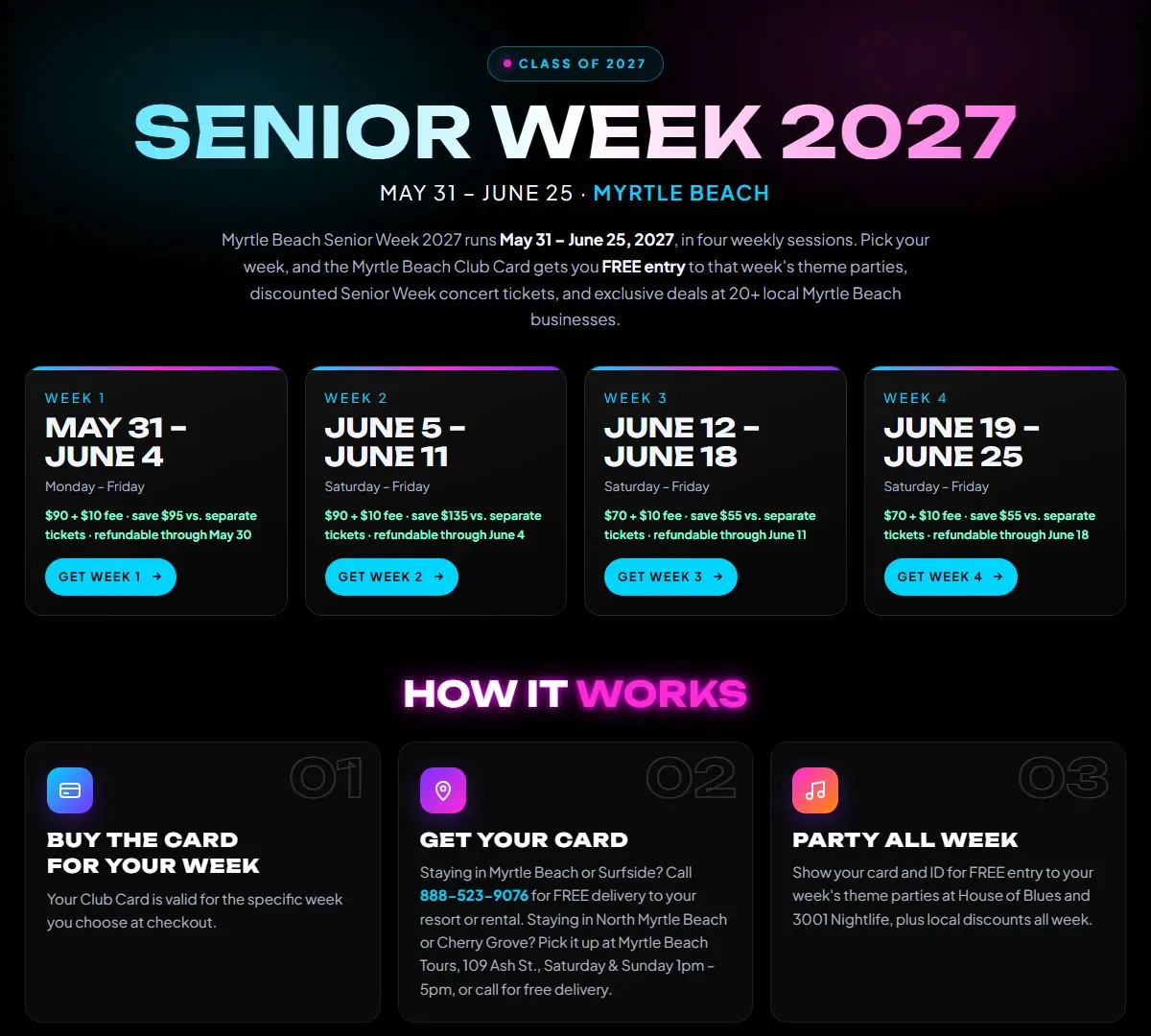
The homepage shows all four Senior Week sessions as cards with dates, price, savings and refund deadline, each with its own button. Below, a three-step How It Works section covers buying the card, getting it delivered or picked up, and partying all week.
The problem · 02
Selling through a third party costs control
Many event businesses sell through outside ticketing platforms that charge fees and keep the customer relationship. They can't easily add group discounts or their own checkout rules.
The solution
An on-site store, organized by week
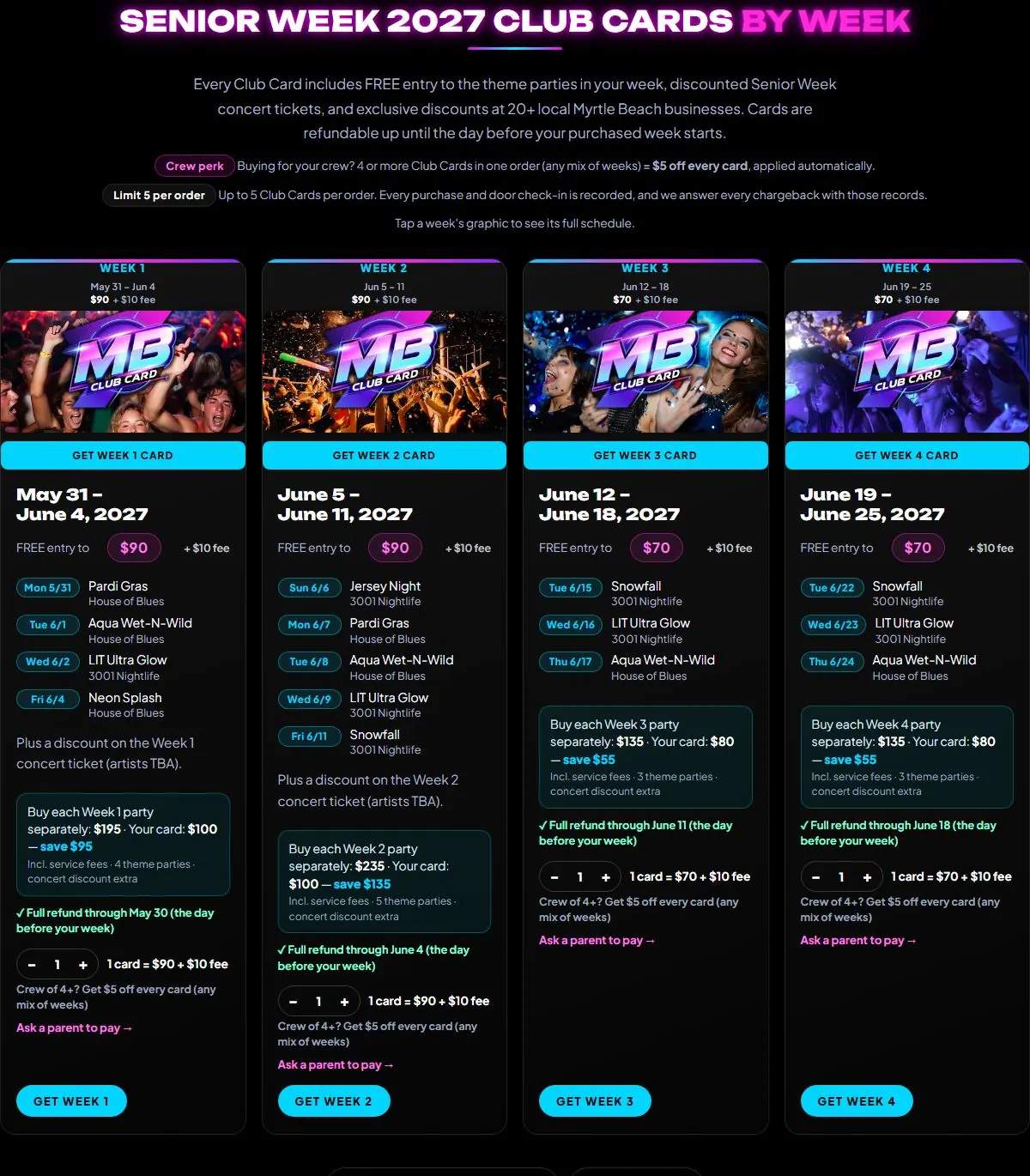
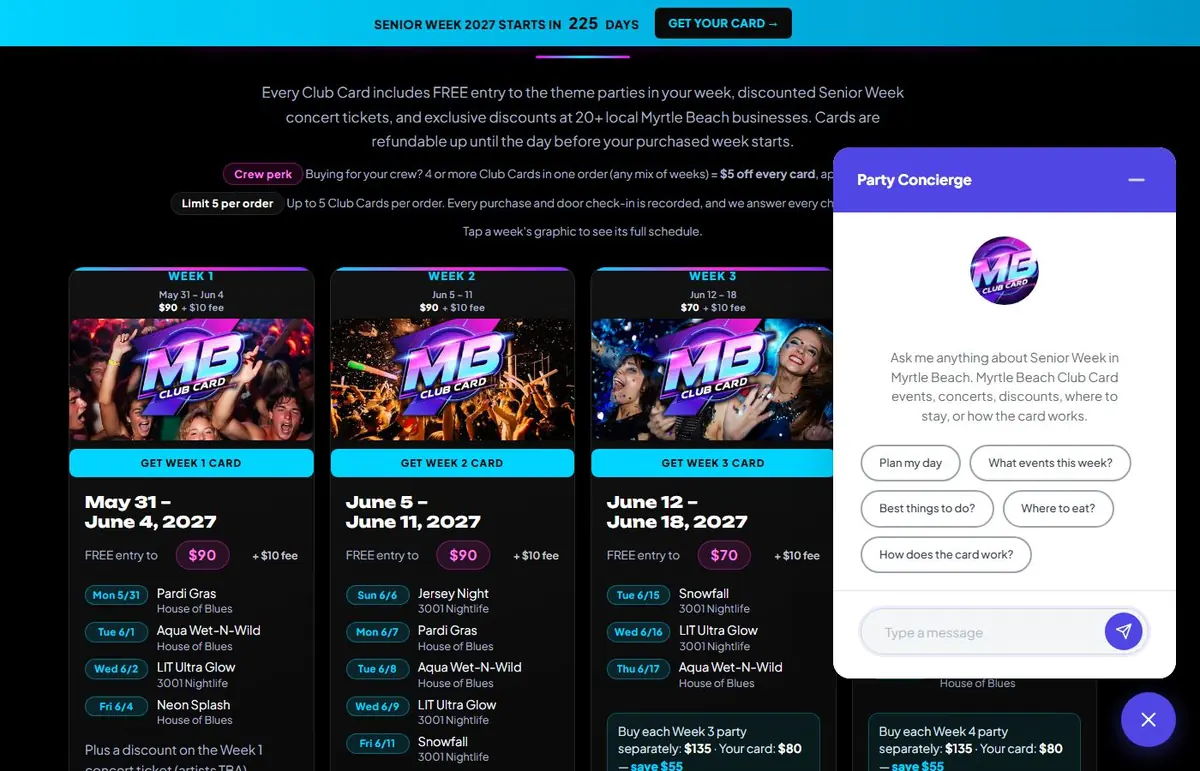
Axiom built the store into the site with WooCommerce and Square payments. Each week's card shows its party lineup, the savings compared with buying tickets separately, a quantity selector and the refund deadline. Crew discounts for four or more cards apply automatically, and orders are capped at five cards.
The problem · 03
The buyer isn't the one paying
With Senior Week, the student picks the card but a parent often pays. That usually means screenshots, texts and someone retyping the order.
The solution
A parent-pay link and parents page
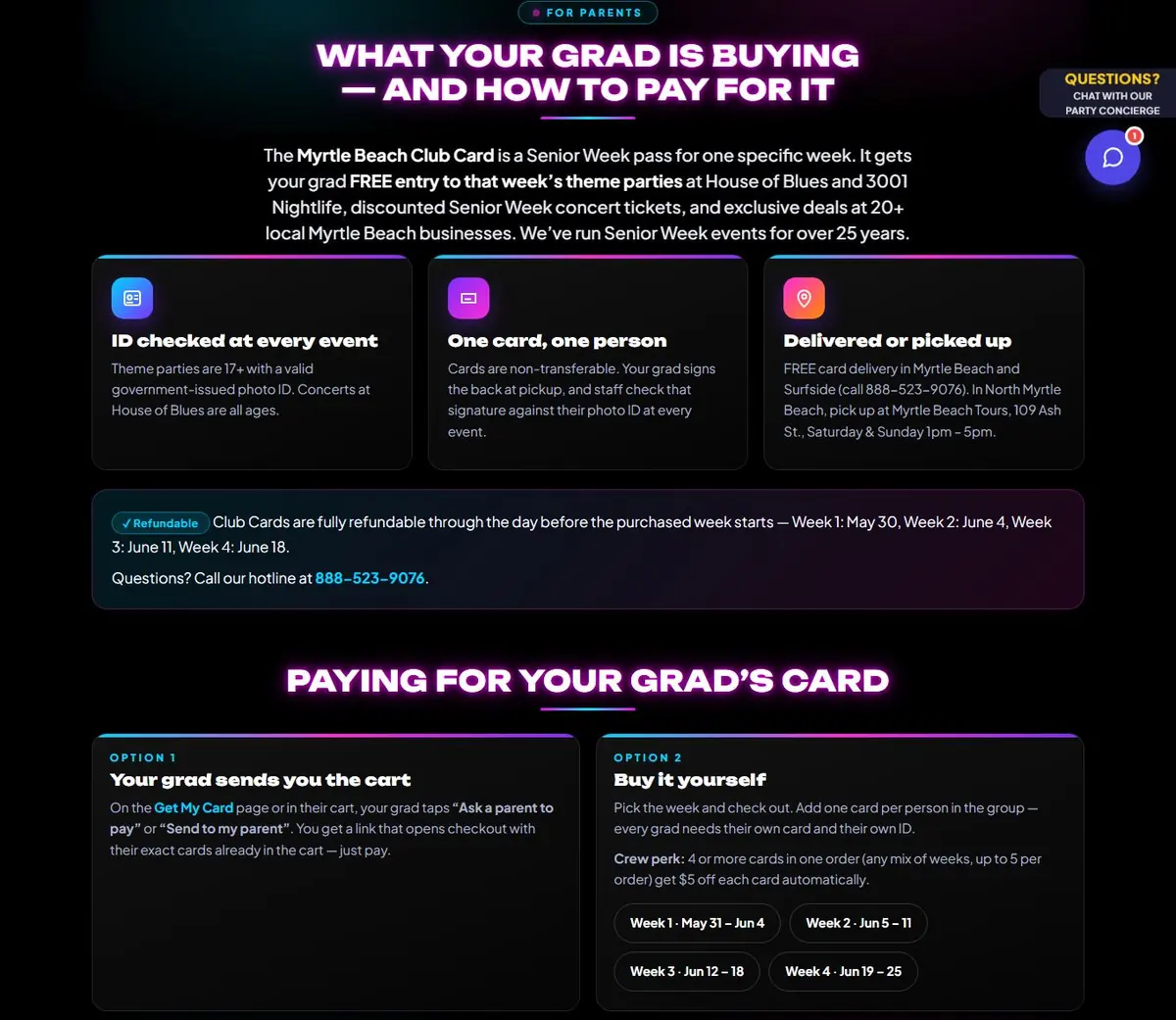
Students can tap 'Ask a parent to pay' and send a link that opens checkout with their exact cards already in the cart. A dedicated parents page explains what the card is, the ID and age rules, delivery and refunds, so parents can pay with confidence.
The problem · 04
A busy schedule is hard to follow
Several themed parties a week across two venues and four weeks is a lot to keep straight. Students need to know what's on during their week, not scroll through the whole season.
The solution
A filterable event schedule
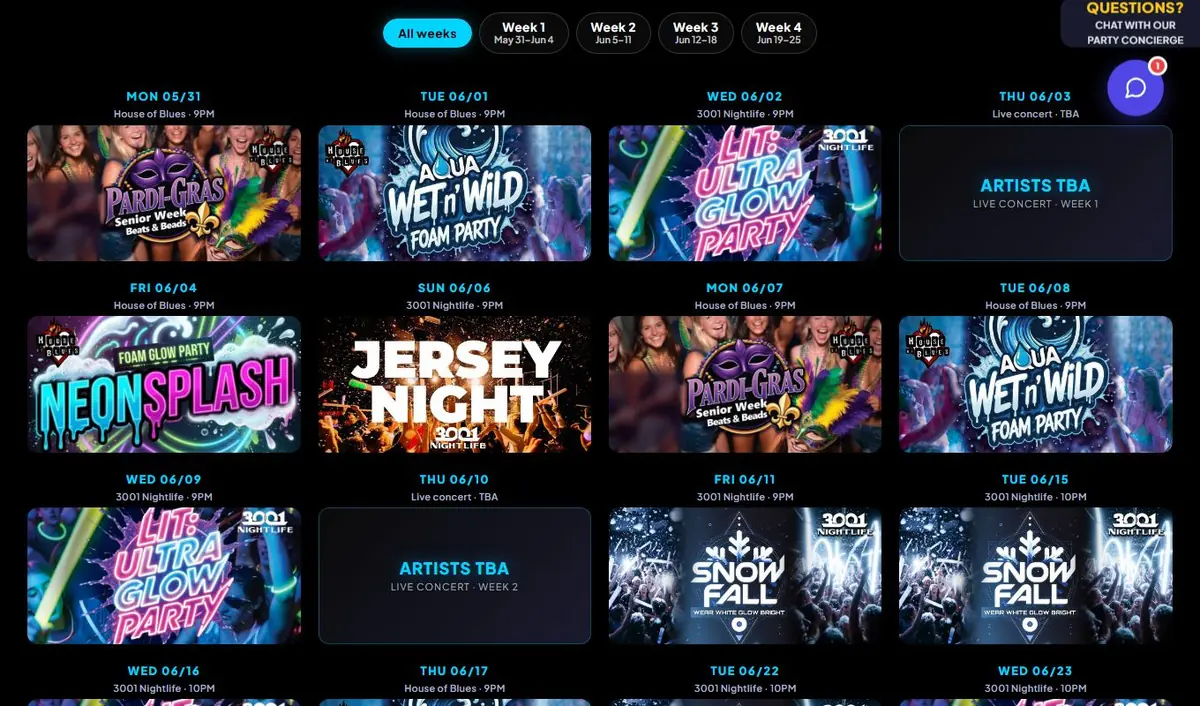
The Event Schedule page shows every party as a flyer tile with date, venue and time, plus tabs to filter by week. Each party also has its own page with an add-to-calendar link.
The problem · 05
Discounts need to feel real
Local partner discounts add value to a pass, but only if buyers can see who's offering what and where. A vague 'save around town' line doesn't convince anyone.
The solution
A local discounts directory
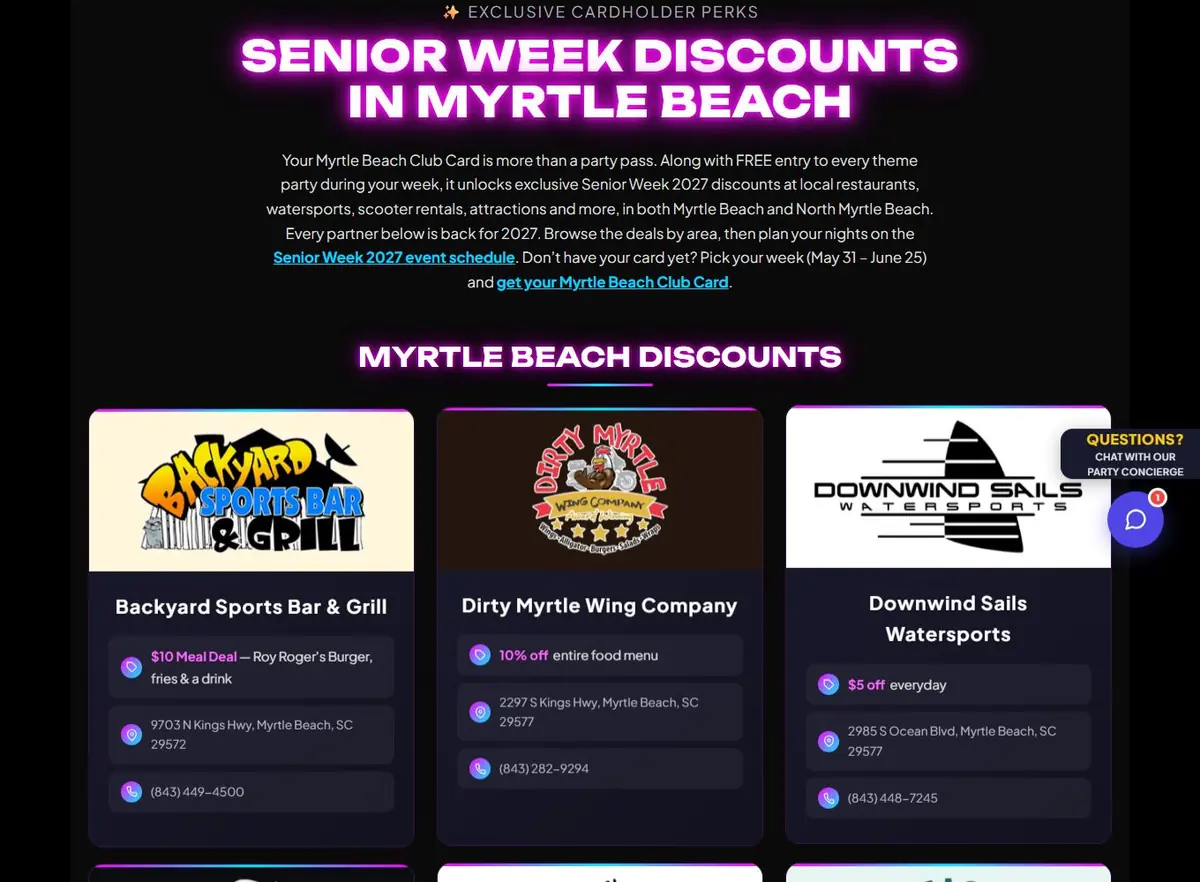
The Senior Week Discounts page lists each partner as a card with its logo, the specific deal, address and phone, grouped by Myrtle Beach and North Myrtle Beach. It links to the event schedule and back to the card.
The problem · 06
Questions come at all hours
Students and parents ask the same questions late at night, when no one is there to answer the phone. Every unanswered question is a chance for them to give up.
The solution
A Party Concierge chat and countdown
Axiom built a custom Party Concierge chat window into the site. Visitors can type a question or tap a starter prompt like 'How does the card work?' or 'Where to eat?'. A countdown bar across the top shows how many days are left until Senior Week, with a Get Your Card button.
Your business
Same problem? Same fix.
If you sell event passes, camps, tours, classes or seasonal memberships, you need your own store, clear scheduling and answers for every buyer. That includes the parent paying the bill. Axiom can build you e-commerce, scheduling, chat and parent-friendly checkout tailored to how your customers actually buy.
Under the hood
Your turn
Want results like Myrtle Beach Club Card?
Free consultation and a fixed quote before any work starts.