
Planning Your Social Media Calendar Around the Myrtle Beach Tourist Season
A season-by-season social media plan for Grand Strand businesses, built around snowbirds, spring golf, summer crowds and the quiet months in between.

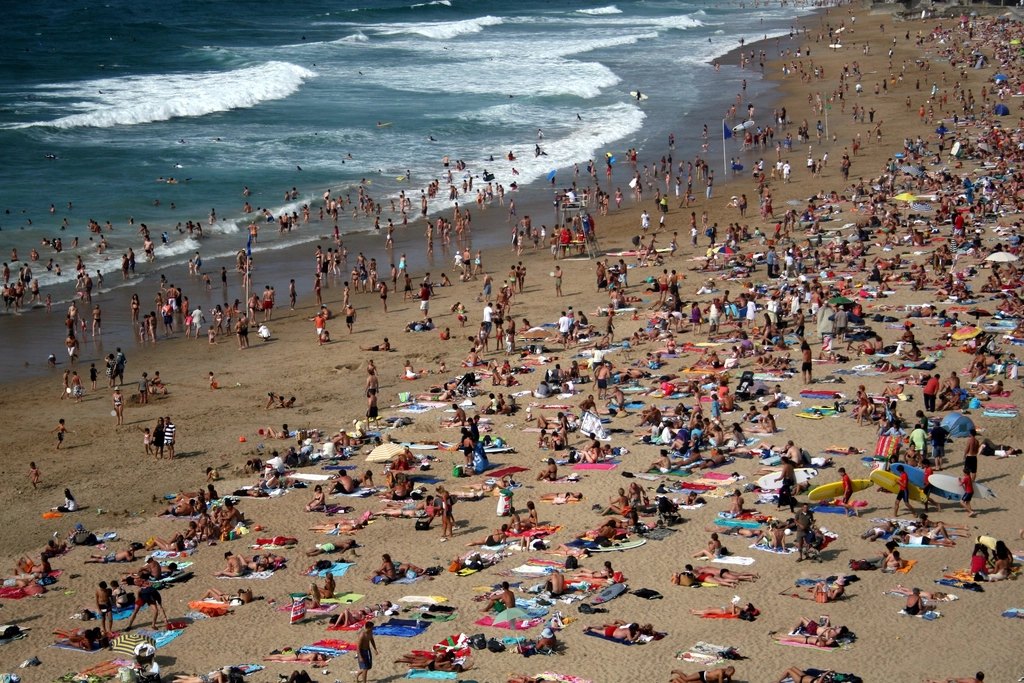
Business on the Grand Strand runs on a calendar most of the country doesn’t think about. Winter brings snowbirds. Spring brings golfers, spring breakers and the first big weekends. Summer is all hands on deck. Fall is quieter, but it’s also when locals finally get their town back.
A social media plan that ignores those swings tends to post the wrong message at the wrong time. Here’s how to build a calendar that follows the season instead of fighting it.
Why a Seasonal Calendar Beats Posting on the Fly
When you’re slammed in July, social media is the first thing to slide. When it’s slow in January, it’s tempting to post constantly with nothing new to say. A calendar fixes both problems:
- You prepare peak-season content in the slow months, when you actually have time.
- You start promoting busy periods before people book, not after they arrive.
- You keep a steady presence year-round, so locals don’t assume you’ve closed for the winter.
Think in Four Seasons, Not Twelve Months
Every business is a little different, but most Grand Strand calendars break into four rough phases. Adjust the timing to match your own sales history.
Winter: Snowbirds, locals and planning ahead
Winter is quieter on the beach but not dead. Snowbirds from up north and Canada settle in for weeks or months, and locals have more free time.
- Who to talk to: Snowbirds, retirees and year-round residents in places like Carolina Forest, Conway and Murrells Inlet.
- What to post: Winter hours, locals’ specials, weekly events, comfort-food menus, indoor activities and “we’re open” reminders.
- Behind the scenes: This is the time to shoot photos and video for spring and summer. Plan a content day while the light is nice and the dining room is empty.
- Look ahead: Families start planning summer vacations long before summer. Lodging, attractions and charter businesses should already be posting about summer bookings.
Spring: Golf, spring break and the ramp-up
Spring is one of the best times of year on the Grand Strand, and visitors know it. Golf groups fill the courses, spring breakers arrive and weekends start getting busy again.
- Who to talk to: Golf groups, families on spring break, weekend visitors from the Carolinas and nearby states, and snowbirds before they head home.
- What to post: Group deals, tee-time packages, patio openings, Easter brunch, new seasonal menus or inventory, and hiring posts for summer staff.
- Event tie-ins: Big spring events like the Myrtle Beach Marathon and Can-Am Days bring crowds. Check each year’s dates and plan posts around the ones that matter to your customers.
Summer: Peak season, short attention spans
From Memorial Day to Labor Day, visitors are deciding where to go today, sometimes in the next hour.
- Who to talk to: Vacationing families, beach-goers and day-trippers, mostly on their phones.
- What to post: Quick, useful posts: today’s specials, wait times, rain-day ideas, live music lineups, parking tips and how to find you.
- Use stories heavily: Short, in-the-moment stories are easy to post during a busy shift and feel current.
- Holiday weekends: Memorial Day, the Fourth of July and Labor Day deserve their own planned posts, scheduled ahead of time. Fireworks, special hours and holiday menus are all worth sharing early.
- Keep it sustainable: Schedule the evergreen posts in advance so you only have to handle real-time stories during the rush.
Fall: Shoulder season and locals’ season
After Labor Day, the crowds thin but don’t vanish. Fall brings golf groups back, along with retirees, fishing trips and visitors who prefer the beach without the summer heat.
- Who to talk to: Golf travelers, couples, retirees, locals and early snowbirds.
- What to post: Fall specials, football watch parties, seasonal events, quieter-beach messaging and holiday gift ideas.
- Local festivals: Community events across the Grand Strand, from Little River to Pawleys Island, give you timely things to post about and partner on.
- Thank your summer crowd: A “thanks for a great season” post is a nice touch and reminds people to come back next year.
Plan Around Booking Windows, Not Just Visit Dates
A family visiting Myrtle Beach in July may pick their condo months earlier, choose a fishing charter a few weeks out and decide on dinner that afternoon. Your posting schedule should follow how far ahead your customers decide.
- Book-ahead businesses (lodging, weddings, charters, golf packages, event venues) should promote a season well before it starts.
- Same-week businesses (attractions, tours, shops) should ramp up a week or two before busy periods.
- Same-day businesses (restaurants, bars, ice cream shops) should focus on real-time posts during the season itself.
Build a Simple Calendar You’ll Actually Use
You don’t need fancy software. A shared spreadsheet or a paper wall calendar works. Here’s how to fill one in:
- Mark the fixed dates. Holidays, local events, your anniversary, school breaks and any annual sales.
- Mark your busy and slow periods based on last year’s sales.
- Pick a weekly rhythm. For example: a specials post early in the week, a photo or video midweek and a weekend post on Thursday.
- Assign content themes by season. Winter equals locals and snowbirds. Spring equals groups and golf. Summer equals today and right now. Fall equals shoulder-season deals and holidays.
- Batch and schedule. Write and schedule a month of evergreen posts in one sitting, then leave room for spontaneous stories.
Keep a Seasonal Content Bank
The best time to shoot summer content is the slow season, when you have time to plan it. Build a folder of photos and short videos sorted by season: sunny patio shots, holiday décor, winter comfort food, fall golf. Short animated graphics for recurring posts, such as weekly specials or event announcements, save time too. Our post on motion graphics for social media has some ideas.
Review Each Season
At the end of each season, take half an hour to look back:
- Which posts led to calls, bookings or visits?
- When did you go quiet, and did it hurt?
- What did customers ask about that you could answer in a post next year?
Write it down. Next year’s calendar gets easier every time.
Want a Calendar Built for Your Business?
Axiom Design Group has been helping Grand Strand businesses plan around the seasons for 18+ years. Our marketing services team can map out your year, and our creative services team can shoot the photos and video in the off-season so you’re ready when the crowds come back. Contact us or call (843) 839-4113 to get started.

Free consultation
Want a second opinion on your project?
Talk to the Axiom team on N Kings Hwy about websites, software, AI or marketing. No pressure, plain answers.
Keep reading
More from the studio
 10/04/2026
Is Your Website Costing You Customers? A 15-Minute Self-Audit
A quick, no-tech-skills checklist to see whether your website is helping or quietly losing customers, built for Grand Strand small businesses.
Read the post 08/22/2026
Spotify, Pandora, YouTube & Hulu Ads: Are Streaming Ads Worth It for Local Businesses?
When Spotify, Pandora, YouTube and Hulu ads make sense for Grand Strand businesses, what they cost to start, and how to tell…
Read the post 07/10/2026
Short-Form Video on a Small-Business Budget: A Grand Strand Guide
How Myrtle Beach area small businesses can make Reels, TikToks and Shorts with a phone, a simple plan and a few hours…
Read the post